How to build a Micro-Memoir from Instagram (2/2): The digital version
Why your PDF will disagree with your booklet
In the last post, you made a physical prototype – screenshots printed, cut out, arranged on a table, pasted into a folded-paper booklet. Something you could hold.
Now we’ll do the same work digitally. And here’s where it gets interesting.
When you rearrange the same images on a screen, you may find yourself questioning the sequence you settled on with scissors and glue. Pages that felt right on the table may not feel right on screen. Pairings that looked obvious in your hands may look wrong in a PDF preview.
That’s not a problem. It’s the whole point.
Last time I mentioned that sequence is really a question of mood as much as chronology – sad to funny is a different story from funny to sad, even with the same images.
I’ve done this myself with all my books, most recently A Speccy Man Has A Breakdown. I couldn’t tell you exactly why working in both formats helps – but it does. The closest I can get is this: the physical version helps you feel the sequence with your hands; the digital version helps you see it with your eyes. They are not the same.
The practical payoff: by the end of this post you’ll have a digital PDF that’s ready to be refined and (eventually) uploaded to a professional printer.
***
Your Step-by-Step Process
Step 1: Open the PDF. Find the file you made for the last post – the one you printed your screenshots from – and double-click it.
If you’ve never edited a PDF before, don’t worry: you already have what you need. On a Mac, it opens in Preview. On Windows, you may need to grab the free Adobe Acrobat Reader.
Look for a “thumbnails” or “page” view in the sidebar – this shows your pages as small previews you can drag around. Delete any duplicates by selecting and pressing Delete. Then drag the thumbnails to reorder them. Here, I’m moving two from the bottom right up to the top:
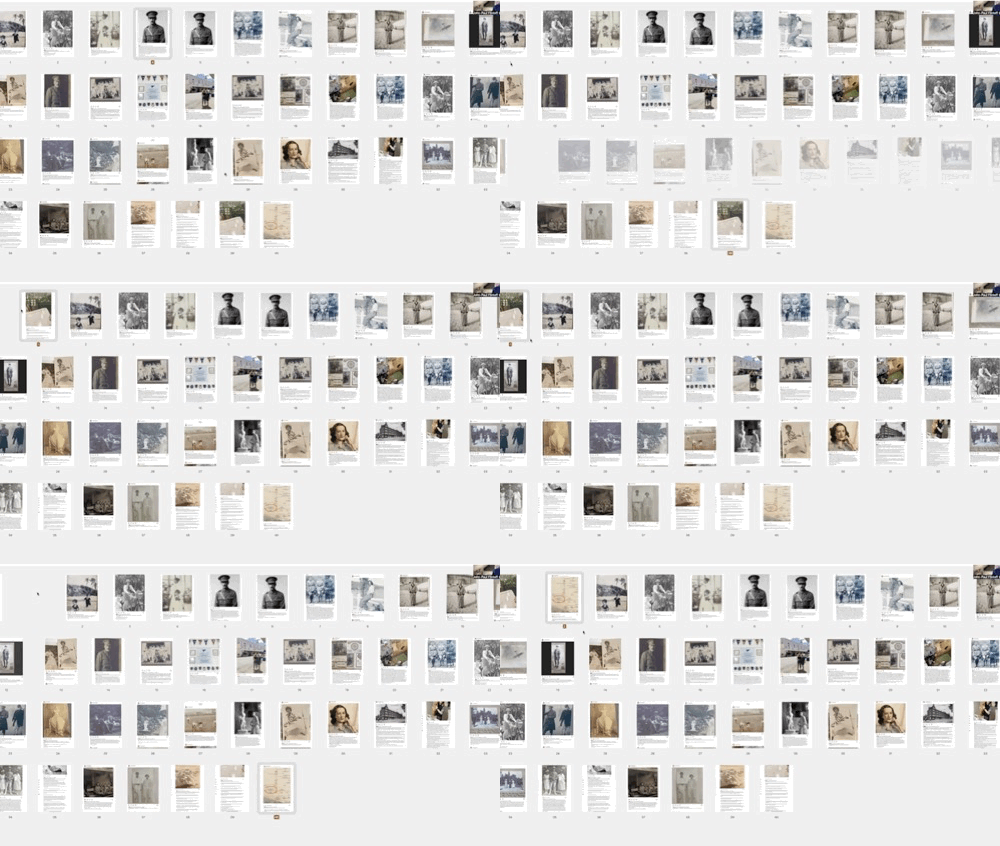
Save as you go (File > Save, or Ctrl/Cmd+S).
Step 2: Compare With Your Physical Version. Lay your paper booklet next to your screen. Are the sequences the same? Almost certainly not – and the differences are where the learning lives. Which version feels stronger? Sometimes the table arrangement reveals something the screen missed. Sometimes it’s the other way round. Make a final decision, and adjust the PDF accordingly.
Step 3: See What a Printed Version Would Look Like. A print-on-demand service is just a website that prints and binds your book one copy at a time. You upload your PDF and it shows you a digital proof – a preview where you can “turn the pages” online before committing to anything:
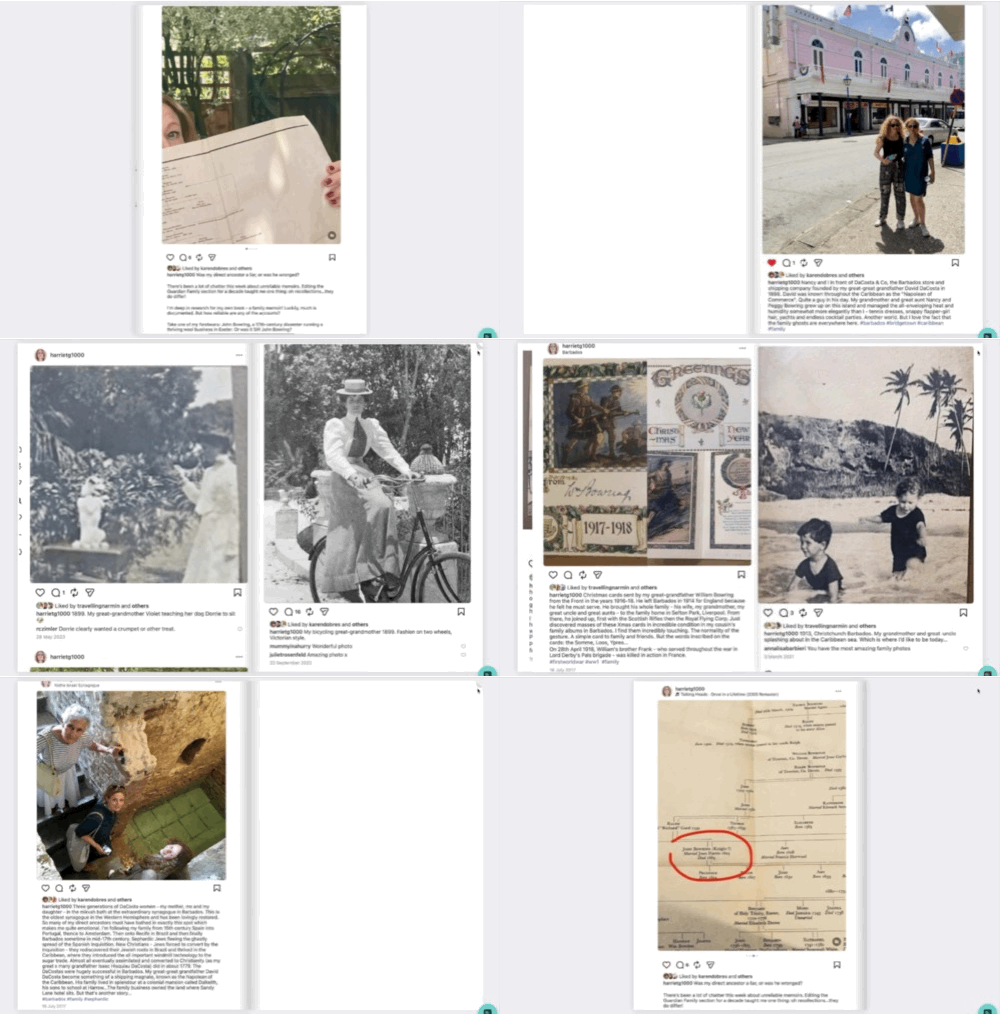
You don’t need to upload your prototype today. But it’s worth visiting one of these sites just to see what the process looks like – because that’s how the final book will eventually get made. Here’s what the digital proof looks like for a micro-memoir built around Harriet’s Instagram posts.
***
Questions You Might Have
What if my digital sequence ends up completely different from my paper one? Good. That means you’re really seeing the images, rather than committing to the first arrangement that felt acceptable. Trust the second pass.
Can I skip the physical version next time? You could, but I’d urge you not to. The physical version uses different parts of your brain. Things you notice with your hands you won’t notice on screen, and vice versa.
***
The Possibilities Ahead
You may see now that the micro-memoir you’ve been wanting to create is already 70% complete.
That, instead of facing a blank page, you could spend Sunday afternoon scrolling through Instagram, screenshotting relevant posts, and by evening have a tangible booklet in your hands – and the next day, a digital version ready to refine.
This approach can unlock other projects, too: a visual record of a creative project from first sketch to finished work; a colleague’s career journey as a retirement present; your own year in pictures, curated and bound; a tribute to a place, a pet, a passion.
“I don’t know where to start” needn’t be an obstacle, because the pictures themselves show you where to begin.
***
ACTION ITEM
Take the images from your physical prototype and assemble them as a digital PDF, in the sequence that now feels right.
Then try one more rearrangement. Notice what changes.
Thank you for reading this far. I hope you have found it useful. It’s the kind of thing I teach in my Micro-Memoir course.

JPF