For years I kept everything in Google Drive: Docs, Sheets, Forms, all that. It was convenient and collaborative. It was the cloud.
And it was quietly exhausting me, with a specimen of confusion I didn’t know I was carrying.
Here’s what I used to do (several times a day). I’d need a file. A note, spreadsheet or something. And I’d pause. Where did I put that? Google Drive? In my Downloads folder? In the iCloud? Or did I email it to myself?
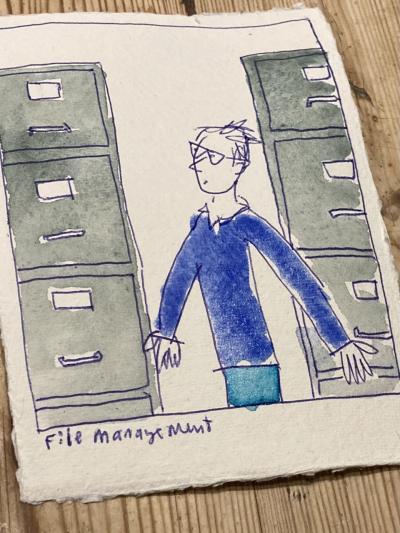
Where did I put that Important Thing?
Sometimes I’d find it quickly but often I wouldn’t. Sometimes I’d give up and rewrite the thing entirely: a special kind of waste.
That pause, tiny moment of confusion, happened constantly. I didn’t even notice it. It was just background noise. A low-grade distraction that fragmented my attention dozens of times a day.
For someone doing creative work, that fragmentation is expensive. You lose the thread, forget what you were thinking before you went hunting. You resurface from the search and have to remind yourself where you were.
None of that applies if everything is saved to my hard drive. One search, in one place. No pausing to ask which system was that in?
If that sounds small, it’s not.
I may not have been lying awake worrying about Google’s servers, but there was always a low hum of unease. Did that sync? Is that doc in My Drive or Shared with me? What if my account gets locked?
I didn’t know I was carrying that weight until I imagined letting it go.
The plan: I’m moving my documents out of Google and onto my own Mac. Not as docx or pdf files – as plain text. Spreadsheets become CSVs. Forms become structured text or json backups.1
Then I search them the old way using Terminal, the text-based interface that appears in films when someone wants to show a character is good with computers. Typing commands instead of clicking things.
Once your files are plain text and sitting on your own machine, you can search them with a single command. It takes milliseconds. No waiting for a search interface to load. No wondering if the file is indexed yet.
Already this feels like such a relief.
It’s not really about Google. Google just happens to be top of my mind right now. The unease is general. It’s about saving things to any platform I don’t own. The terms of service could change. The pricing could shift. The whole thing could be discontinued. It could be taken over by neo-Nazis.
None of those things are likely but the possibility sits there, giving off a low, continuous background hum that you may not notice until it stops.
That’s cognitive load. The brain running a tiny background check every time I save a file. Is it safe? Will it still be there tomorrow? Multiply that by hundreds of files and I’m constantly running a mental process that never completes.
Local files have no uncertainty. They’re just there. On my drive. In my folder. Under my control. No terms of service. No pricing. No discontinuation.
There are trade-offs. Real-time collaboration I can live without – I mostly work alone. Version history I can get from git. Mobile access from anywhere means copying what I need before I leave the house, which is entirely doable. And Google’s search, once I started using the terminal, turned out to be the slower option anyway.
What I’m gaining is harder to quantify: a quieter brain, complete ownership, and no more pausing to ask where did I put that?
The weirdest part is that even just thinking about doing this made me breathe more easily. I mean: really! Before I moved a single file, I felt a weight lift. That’s how I knew the cognitive load was real.
I can see that this won’t work for everyone. If you live in real-time collaboration, if you love sharing features, if you need your files on your phone at all times – this would be a less-than splendid idea for you.
If you’ve ever felt vaguely uneasy about how much of your life lives on someone else’s servers – or if you’ve ever paused, several times a day, to ask where did I put that thing? – try exporting one folder. Save it locally. See if your shoulders drop, as mine did.
I’ll probably update this as I go. The system won’t be perfect. It will be mine. That, for now, feels like enough.
1 Structured text or json backups. I’ll probably also do this with a download from Facebook and Instagram, but the sheer vastness of that is already making me anxious.